

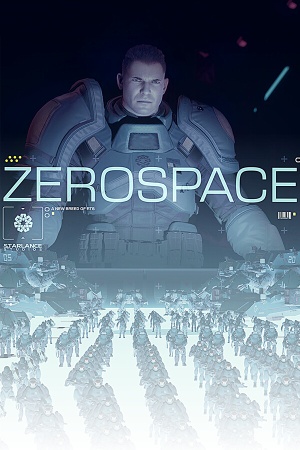
Stuttering gameplay got you down? Meet ZeroSpace's system requirements: Intel Core i5-11600K or AMD Ryzen 5 5600X, 16 GB of RAM, and a NVIDIA GeForce GTX 1660 or AMD Radeon RX 5600 XT.
But don't just meet them – find the sweet spot where performance meets visuals.
According to PCGamingWiki, you’ll need an Intel Core i5-11600K or AMD Ryzen 5 5600X processor, at least 16 GB of RAM, and a graphics card like the NVIDIA GeForce GTX 1660 or AMD Radeon RX 5600 XT. This is mid-range hardware we’re talking about.
Key Specifications to Keep in Mind
The Intel Core i5-11600K processor features 6 cores and 12 threads, while the AMD Ryzen 5 5600X boasts 6 cores and 12 threads as well. Both processors have a base clock speed of 3.7 GHz and can reach up to 4.9 GHz in boost mode.
It’s all about trade-offs. Want better performance? Be prepared to sacrifice some visual fidelity. Try reducing the resolution to 1080p (1920×1080) and see how it affects your frame rates. Start by lowering texture settings to ‘High Quality’. For example, you can reduce the texture quality to 50% or lower the detail level to medium.
Tips for Texture Optimization
For textures, every little bit counts. Experiment with different levels of detail and see how they impact your frame rates. Some gamers swear by reducing texture sizes. While others prefer to optimize texture compression. You can also try disabling detailed normal mapping or reducing the number of texture layers.
Graphics Settings: A Good Starting Point
Lowering anti-aliasing and motion blur can help – experiment and find what works for you. Don’t forget to update those graphics drivers to the latest version. Some gamers also recommend disabling TAA (Temporal Anti-Aliasing) as it can cause performance issues.
Background programs and services – disable what you don’t need, and see how it affects your gameplay. Consider V-Sync to eliminate screen tearing. Tools like MSI Afterburner or EVGA Precision XOC can help you monitor GPU temps and optimize your setup.
Community Feedback: Staying Ahead of the Curve
PCGamingWiki’s community is always discussing new ways to optimize ZeroSpace. Recent updates have included tweaks to the rendering engine – all good stuff. Stay informed, stay up-to-date – it’s key to maximum performance.
For the truly dedicated gamer, there are advanced techniques that can take your ZeroSpace experience to the next level. Consider experimenting with frame rate cap settings or adjusting your graphics card’s power management settings. You can also try using software like Razer Game Booster or EVGA PowerLink to optimize your system’s performance.
ZeroSpace performance optimization: A Guide for Gamers
Here, we’ll getting into the world of ZeroSpace performance optimization and provide you with actionable tips and tricks to boost your frame rates and minimize lag. We’ll explore the key specifications of mid-range hardware, discuss texture optimization techniques, and getting into advanced performance tweaks.
Resolution matters in ZeroSpace’s performance. Lowering the resolution to 1080p (1920×1080) can significantly improve frame rates. However, this comes at the cost of visual fidelity. You may need to sacrifice some graphical details to achieve smooth gameplay.
Optimizing Graphics Settings for Performance
Graphics settings are a key part of ZeroSpace performance optimization. Experiment with different anti-aliasing and motion blur settings to find what works best for you. Don’t forget to update your graphics drivers to the latest version, as this can significantly improve performance.
If you’re an advanced gamer looking to take your ZeroSpace experience to the next level, consider experimenting with frame rate cap settings or adjusting your graphics card’s power management settings. You can also try using software like Razer Game Booster or EVGA PowerLink to optimize your system’s performance.
✅ Verdict
Follow our guide, and you'll see a significant boost in frame rates – 60 FPS at 1080p, easy. Lag will be a thing of the past – more immersion, less frustration.