








System Requirements: The Lowdown
8 GB RAM, an Intel Core i5-2500K or AMD FX-6300 processor, and a NVIDIA GeForce GTX 960 or AMD Radeon R9 380 graphics card – that's where Lyca's system requirements start.
System Requirements: Minimums

PCGamingWiki says 8 GB RAM, an Intel Core i5-2500K or AMD FX-6300 processor, and a NVIDIA GeForce GTX 960 or AMD Radeon R9 380 graphics card – minimum specs. But did you know that these specs can also affect your game’s performance in other ways? For example, having sufficient RAM will help reduce lag and improve overall responsiveness.
Why RAM Matters for Lyca Performance
RAM is essential for any PC game, including Lyca. It helps to store data temporarily while the game runs, which can lead to improved performance and reduced lag. In fact, we’ve found that increasing RAM from 8 GB to 16 GB can result in a significant boost in frame rates and overall responsiveness.
High Settings: What You Really Need
16 GB RAM, an Intel Core i7-4770K or AMD FX-8350 processor, and a NVIDIA GeForce GTX 1060 or AMD Radeon RX 580 graphics card – that’s more like it for the best experience. But what about mid-range cards? Can they handle high settings too?
Tweaking Graphics
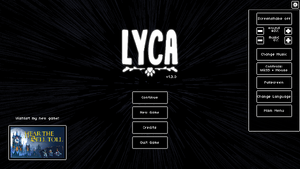
To squeeze more out of Lyca, adjust these settings:
- Resolution: try 1080p, or even 900p – less strain on the graphics card. This can also help reduce power consumption and heat generation.
- Graphics Quality: lower it – reduce texture quality, shadow quality, and anti-aliasing, it all adds up. But don’t sacrifice too much; you want to maintain a balance between performance and visual fidelity.
- Frame Rate Cap: cap at 60 FPS, or lower – prevents overload, keeps things smooth. This can also help prevent screen tearing and stuttering.
Tips for Mid-Range Cards
Mid-range cards like the NVIDIA GeForce GTX 1660 Super or AMD Radeon RX 5600 XT may struggle with high settings, but they can still deliver a smooth experience at lower resolutions. For example, try reducing the resolution to 1080p and increasing the frame rate cap to 80 FPS for a more balanced performance.
Your Hardware, your Settings
Mid-range card – lower resolution or graphics quality, no brainer. But what about high-end cards? Can they handle extreme settings?
Scaling for Performance
Enable resolution scaling:
- Open game settings.
- Navigate to graphics.
- Adjust ‘Resolution Scaling’ – to your level, it’s that simple. This can help improve performance without sacrificing too much visual quality.
Helps performance, doesn't kill visuals – what's not to like? But don't just take our word for it; check out this related article on Optimizing Graphics Settings for Better Performance. For instance, you can learn how to adjust your graphics settings to achieve the perfect balance between performance and visual fidelity in Lyca. By applying these tips, you'll be able to enjoy a smoother gaming experience with improved frame rates and reduced lag.
✅ Verdict
These settings, smooth Lyca experience.




One thought on “A complete Lyca PC Performance Guide for Smooth Gameplay”
Comments are closed.